

Key Takeaways
Option A
Wired connections
The consistent, predictable backbone of a home network.
Best for: Devices that stay in one place and need stable, high-throughput performance, such as desktop computers, gaming consoles, and smart TVs.
Option B
Wireless connections
The flexible, cable-free option for mobile and distributed devices.
Best for: Laptops, smartphones, tablets, and smart home devices that move around or would be impractical to cable directly to a router.
If you stream 4K video or play online games on a TV or console that stays in one room
Wired connections
A direct ethernet connection removes the packet loss and latency spikes that Wi-Fi can introduce during peak household usage, which matters for uninterrupted high-bandwidth activity.
If you use a laptop or tablet across multiple rooms throughout the day
Wireless connections
Mobility makes a physical cable impractical, and modern Wi-Fi standards handle everyday browsing, video calls, and streaming without meaningful degradation for most households.
If you are setting up a new home network from scratch
Wired connections
Running ethernet to key stationary devices during initial setup costs less than retrofitting later, and it frees up wireless bandwidth for the devices that genuinely need it.
If you have smart home devices spread across multiple rooms
Wireless connections
Smart plugs, sensors, and voice assistants are designed for wireless operation, and cabling them would be impractical given their placement and low bandwidth requirements.
What the terms actually cover
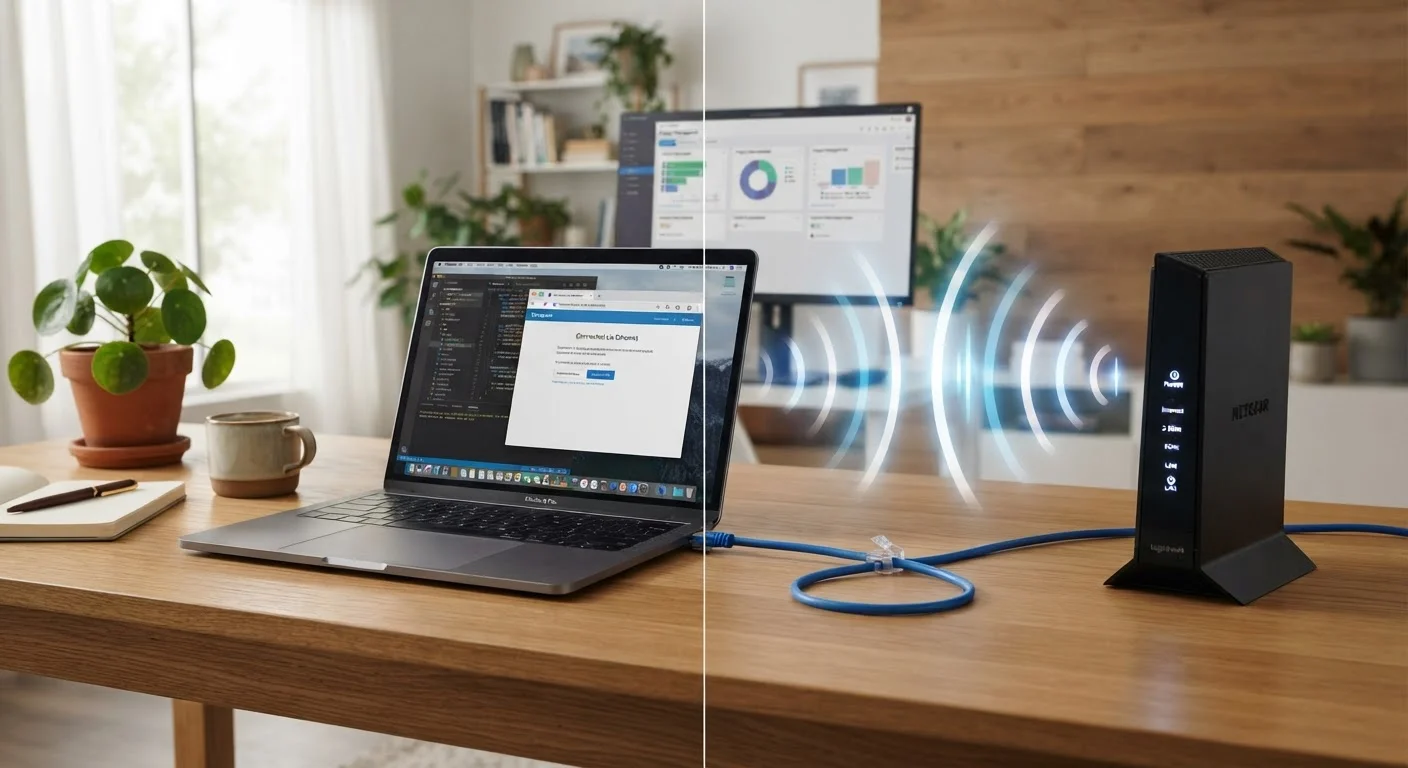
"Wired" and "wireless" describe how a device exchanges data with a network or another device. Wired connections use a physical cable, most commonly ethernet (the rectangular RJ-45 plug), to carry data as electrical or optical signals. Wireless connections transmit data as radio waves, with Wi-Fi and Bluetooth being the two types most households encounter.
Wi-Fi connects devices to a local network and, through it, to the internet. Bluetooth handles short-range, device-to-device communication, typically for peripherals like headphones, keyboards, and speakers. The two wireless protocols are not interchangeable, and comparing either to a wired ethernet connection depends heavily on what you are trying to do.
For families setting up or reorganizing home electronics, the choice affects daily performance, long-term reliability, and the practical effort of getting everything connected. See what to prioritize in a new household setup for a broader view of how connection decisions fit into the full picture.
How wired and wireless compare on the things that matter
| Criterion | Wired (ethernet) | Wireless (Wi-Fi) |
|---|---|---|
| Latency | Low and consistent | Variable, rises with interference |
| Throughput stability | Stable regardless of distance | Drops with distance and obstacles |
| Device mobility | None, device must be cabled | Full, within signal range |
| Installation effort | Cable runs required | Minimal for most devices |
| Security exposure | Lower, physical access needed | Higher, signal passes through walls |
| Hardware lifespan | Long, switches last many years | Shorter, tied to evolving standards |
| Upfront cost (retrofit) | Higher if cabling existing walls | Lower for most room additions |
Latency, the delay between sending a data request and receiving a response, stays low and stable on ethernet because there is no wireless medium to compete for. On Wi-Fi, latency can increase when multiple devices are active, when the signal passes through thick walls, or when neighboring networks use the same radio channel. For most web browsing and video calls this difference is imperceptible. For real-time gaming or video conferencing on a busy household network, it is noticeable.
Throughput, the volume of data a connection can move per second, is high on current ethernet standards (gigabit ethernet is common on home routers) and also high on modern Wi-Fi standards such as Wi-Fi 6. However, wireless throughput is a ceiling shared across all devices on the network, and physical distance plus interference reduce what any single device actually receives.
Installation, cost, and long-term upkeep
Ethernet cable is inexpensive per foot, but running it through walls, along baseboards, or across floors in an existing home takes time and, if you hire someone, money. In a new build or major renovation, having ethernet pre-run to key rooms is relatively affordable and avoids later disruption. Retrofitting cable in a finished home is the scenario where wireless starts to look more practical regardless of its performance characteristics.
Wireless hardware requires a router and, in larger homes, access points or a mesh network system to cover dead zones. That hardware needs occasional firmware updates and eventually replacement as standards evolve. Wired hardware lasts longer in service and has fewer software dependencies: a gigabit switch bought a decade ago still works fine today.
There is also a security dimension. A wired device is harder to intercept than a wireless one because physical access to the cable is required. Wi-Fi signals pass through walls and can be reached from outside the home, which is why router security settings and a strong network password matter. The data practices of smart home devices become more relevant when those devices sit on an open or poorly secured wireless network.
Building a practical home setup
For most families, the answer is not one type over the other but a deliberate mix. Stationary devices that need reliable throughput, such as a desktop computer, a gaming console, or a living room television, are good candidates for a direct ethernet connection if the cable run is feasible. Mobile devices, small smart home sensors, and anything without an ethernet port belong on Wi-Fi.
If wireless coverage is uneven in your home, the guide to building a reliable home Wi-Fi network covers router placement, channel selection, and when a mesh system makes sense. Wiring a few key devices off Wi-Fi also reduces congestion for the devices that must stay wireless, which often improves overall household network performance without requiring upgraded internet service.
Before buying new hardware, map which devices in your home are stationary and which move around. That single distinction guides most of the connection decisions that follow.